N1 Moon Rocket
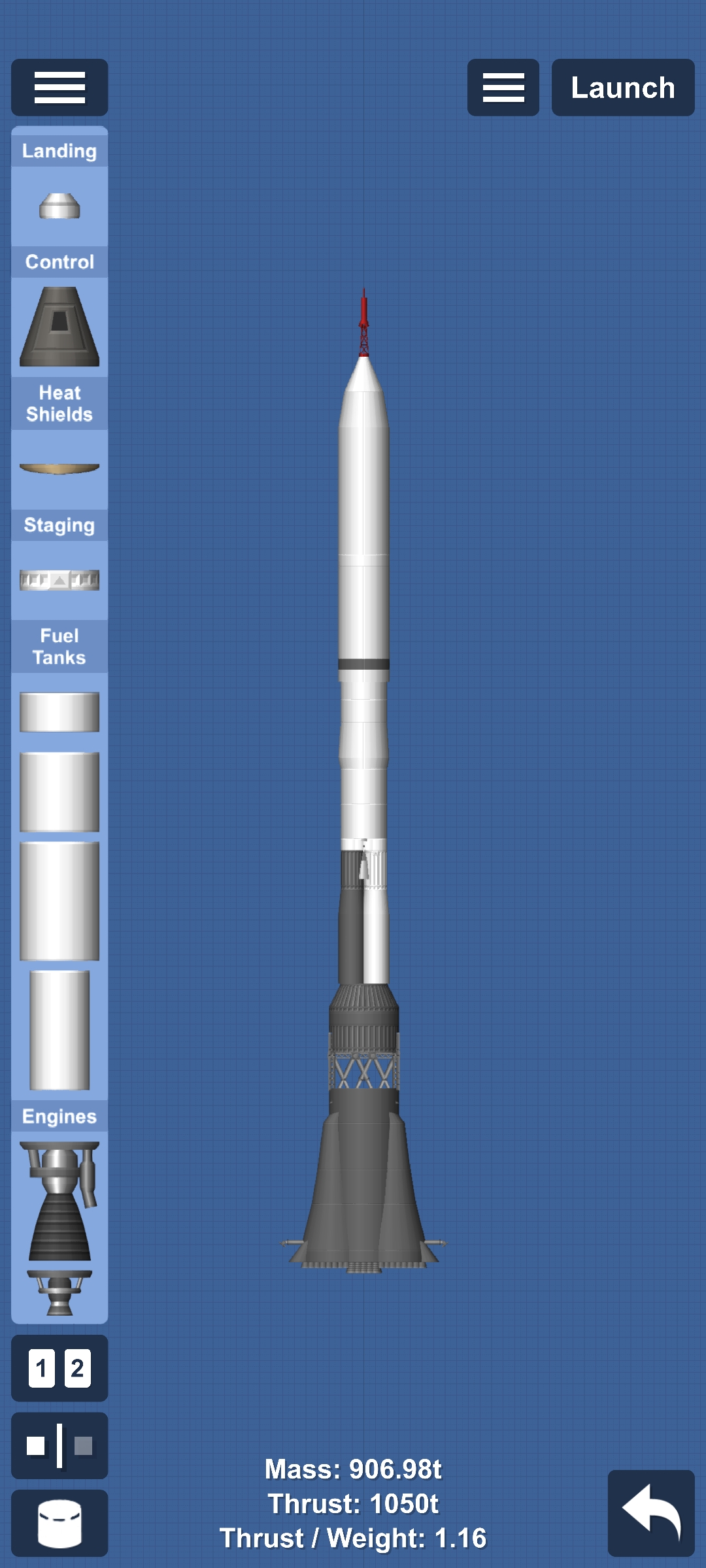
N1 Requirements: No heat damage, DLC. How to fly it: click the ▶️ button under the throttle thing to activate engines. Get into orbit. Navigate to the Moon. Transfer window and make sure it reaches 00m (I forgot what it is). Then enter the sphere of influence of the Moon. Get into low Moon orbit. Seperate the moon lander and land on the moon. Split the fairings and click docking port and engine (the one with the capsule). Dock with the N1 satellite looking thing. Navigate to Earth. Now get there and separate the capsule. Now go to Earth's atmosphere and deploy parachute under 2500m and over 500m.
Blueprint facts
| DLC required | Yes |
|---|---|
| Difficulty | Medium |
Requirements
- Requires DLC parts.
- Requires cheats enabled.
- Cheats: Infinite Build Area, Part Clipping, No Heat Damage.
- Difficulty: medium.
How to use this SFS blueprint
Open in SFS by tapping the share link below, or Copy link and paste it inside Spaceflight Simulator → Load → Paste link. See the guide on opening SFS blueprint links.
Related
Learn more
More Rocket blueprints
- Original rocket design by Pico Space(ピコ宇宙). By community member with attribution
- Space shuttle
- Artemis II - Replica (can lag)
- Artemis ll
- Powerful lander
- STARSHIP